Cafes and restaurants
New staff get it on their first shift.
Counter service at breakfast, table service at dinner, from the same tablet, menu and reports. A till simple enough that a new casual is serving in minutes, with the depth the kitchen needs behind every tap.
The morning rush
Built for the queue out the door.
Coffee orders in three taps, the regular’s usual one tap away, and pickup orders that print as soon as they’re paid.
A grid built for the rush
Products by category or menu, with photos and search, in a layout you arrange by dragging.
Variants, modifiers and combos
Sizes with their own prices and barcodes, required or optional modifiers, and meal deals the kitchen reads line by line.
Their usual, one tap away
Attach a customer and the orders they come back for appear on the sale screen.
Order-ahead pickup
Prepaid orders with a ready time. Customers get a text when it’s ready, and an automatic refund if you can’t take it.
Order today, collect later
Customers choose a pickup time later today or later in the week, and the order reaches the kitchen when it should.
QR table ordering
Guests scan the code on the table, browse your menu and order. They pay at the counter or online by card, and follow their order’s status on their phone.
Availability in one press
Long-press a product to mark it unavailable until a time you choose, or until further notice.
Help built into the app
Step-by-step guides on the tablet and in the back office, from the first sale to setting up a kitchen screen.
Regulars
Loyalty cards in Apple and Google Wallet.
Customers add your card to Apple Wallet or Google Wallet at the counter, and their points update after every visit.
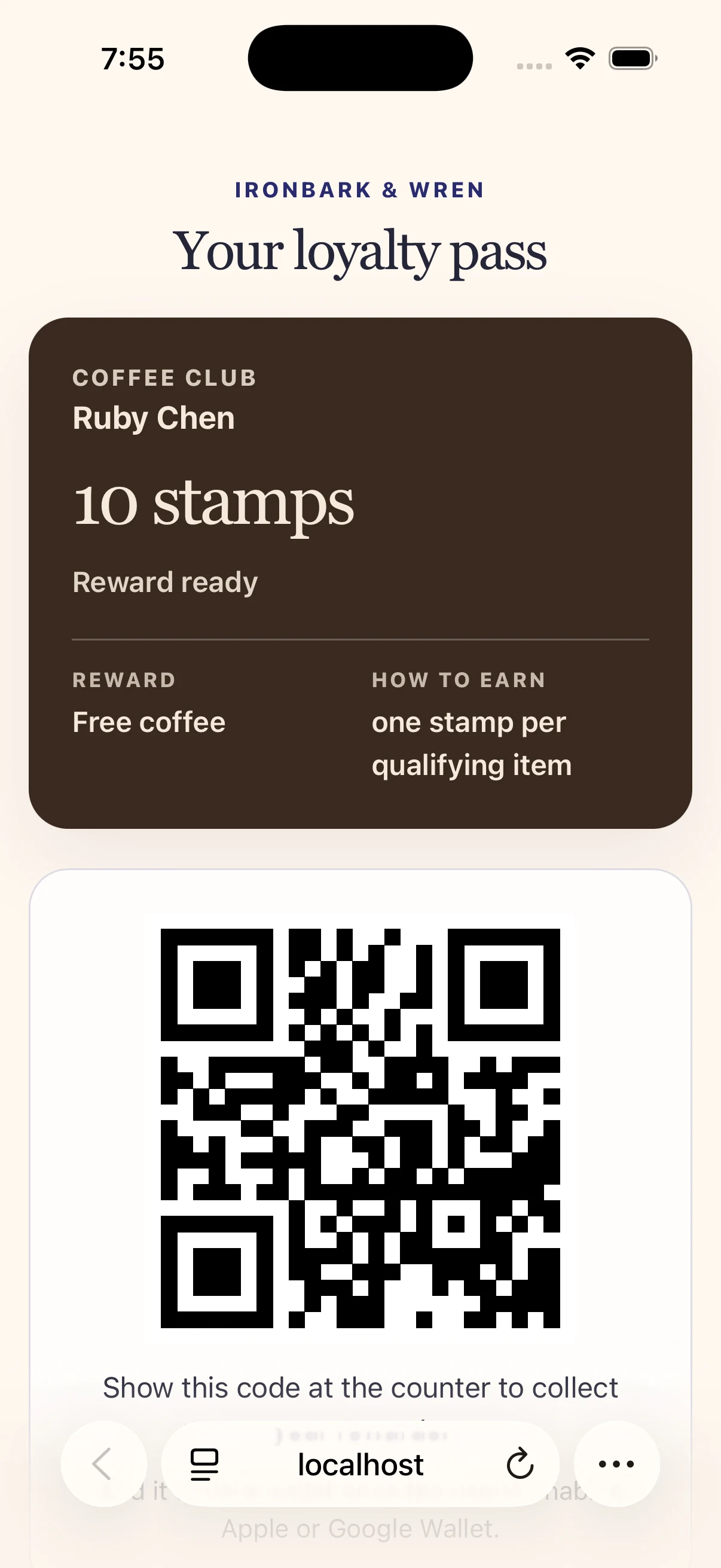
A loyalty card in their Wallet
Customers add your card to Apple Wallet or Google Wallet from a link or the QR poster on your counter. There’s no app to download, and the balance updates after every visit.
Loyalty points
Run a points program on the till itself. Earn per dollar or per item, and reward with money off or a free product.
Milestone rewards
A ladder of one-off rewards as lifetime points grow, a mug first and something bigger later, alongside or instead of the repeating reward.
Scan the pass at the till
Scan a Wallet pass or a gift card with the barcode scanner or the camera, and the customer or card is on the order.
Gift cards online
Customers buy a gift card from your page and it’s emailed to the recipient, ready to use at the till.
An online shop
Sell coffee beans, merchandise and retail lines for click and collect, drawn from the same stock as the till, so it stops selling when you run out.
The floor and the pass
Tables, courses and the Kitchen Screen.
Floor plans, covers and courses out front, a Kitchen Screen at every station behind the pass, and bookings on the same tablet.
Kitchen Screen
A tablet at each station shows its tickets as they’re sent. Bump when it’s done, recall when it isn’t, and it keeps running over the venue’s own network when the internet drops.
A screen for the pass
For whoever runs the pass (the expo): one screen shows every ticket in the kitchen, and bumping an order rings a bell so front of house knows it’s ready.
Floor plans
Draw your tables, bar and walls, with a plan for every room: dining, patio, functions.
Courses and fire
Take the order by course, send dockets grouped by course, and fire the next one when the table is ready.
Split bills every way
Split evenly, by item or across payment methods, and pay several shares in one go.
Online reservations
Guests book in a few taps and can cancel from their confirmation email. You set covers and arrivals per time slot, minimum notice and how far ahead they can book.
Delivery with your own drivers
Draw your delivery area on a map, quote an arrival time, and send prepaid orders out with your own team. No marketplace in the middle.
Function and catering quotes
Numbered quotes with revisions, a PDF, an expiry date and a link your customer can open, emailed from the till.
The owner’s view
Know how the day went before you get home.
A summary in your inbox after close, margins on every product, and the roster sent from the same tablet.
A close-of-day email
A short summary of the day lands in the owner’s inbox after close: sales, what sold and anything worth a look.
AI Assistant
Ask “what sold best last Saturday?” or “who’s on shift?” in plain English, typed or spoken, and get the answer with the figures behind it.
Costs and margins
Every sale records what it cost you, so reports show gross profit by product and by day next to sales.
Rosters by email
Build the week’s roster on the tablet and send it. Each person gets their own shifts and the full roster by email.
Xero, reconciled nightly
A settlement invoice for each store every night, with sales by account, payments to clearing accounts and gift card balances held as liabilities.
Import a menu from a photo
Photograph your printed menu and AI drafts the products, prices and modifiers. You review every line before anything goes on the till.
Let’s talk about your venue.
Tell us how you run service today and we’ll show you what changes. No obligation, no lock-in contracts.