Features
Everything your venue runs on, in one system.
From the first tap at the counter to the settlement in Xero. Every feature below is live today; the few we’re still building are marked as coming soon.
Selling
Built for the rush.
A sale screen your staff learn in one shift, with the depth the kitchen needs behind every tap.
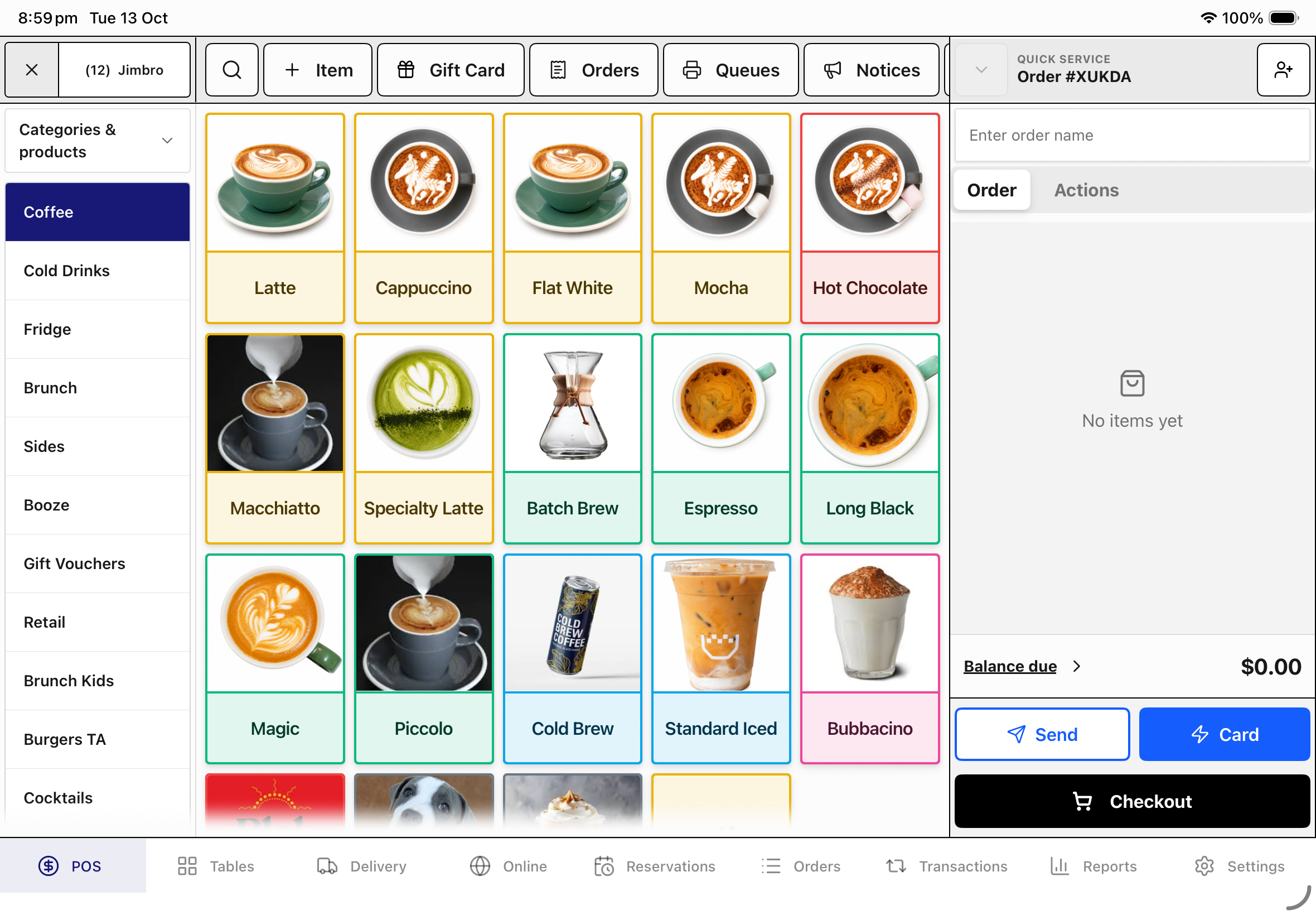
A grid built for the rush
Products by category or menu, with photos and search, in a layout you arrange by dragging.
Variants, modifiers and combos
Sizes with their own prices and barcodes, required or optional modifiers, and meal deals the kitchen reads line by line.
Dietary and allergen tags
Tags on every product, and paid swaps like gluten-free bread that price themselves.
Discounts with guardrails
An amount or a percentage off one item or the whole order, with caps and manager approval where you want it.
Split bills every way
Split evenly, by item or across payment methods, and pay several shares in one go.
Park and resume orders
Name an order, park it, and pick it up again when they’re ready.
86 in one press
Long-press a product to mark it unavailable until a time you choose, or until further notice.
Keyed prices
For market-price dishes and one-offs: staff enter the price, starting from a suggestion.
Refunds that restock
Full or partial refunds, with a choice on each line to put the stock back, and GST reversed correctly.
Email and SMS receipts
Tax invoices by email, receipts by text, and reprints from order history.
Payments
Card payments that can’t go missing.
Zeller is built in, cash is counted properly, and every charge is recorded before it is taken.
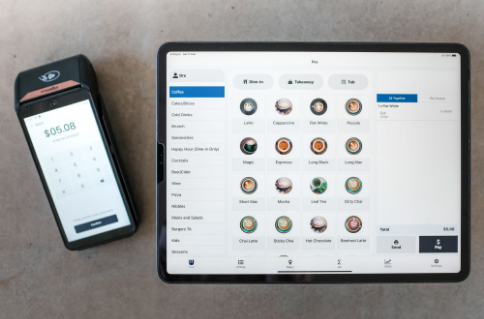
Zeller, built in
Pair a Zeller terminal and the amount, the tip and the result flow straight onto the order. Already with Zeller? We plug in. Not yet? We’ll set you up.
No double charges
Every card charge is recorded on the tablet before the terminal is asked, so a crash or a dropped connection can’t charge twice or lose the sale.
A backup terminal
Any standalone EFTPOS terminal can sit alongside, recorded against the order so it still reconciles.
Tips, your way
Add a tip to the order, or let the customer choose one on the terminal.
Cash that counts
Quick-cash buttons, change worked out for you, and 5c rounding applied after GST.
Online card payments
Online orders are paid by card through Stripe, straight into your own account.
Tables
Your floor, on one screen.
Floor plans, covers, timers and courses, so the whole team can see where every table is at.
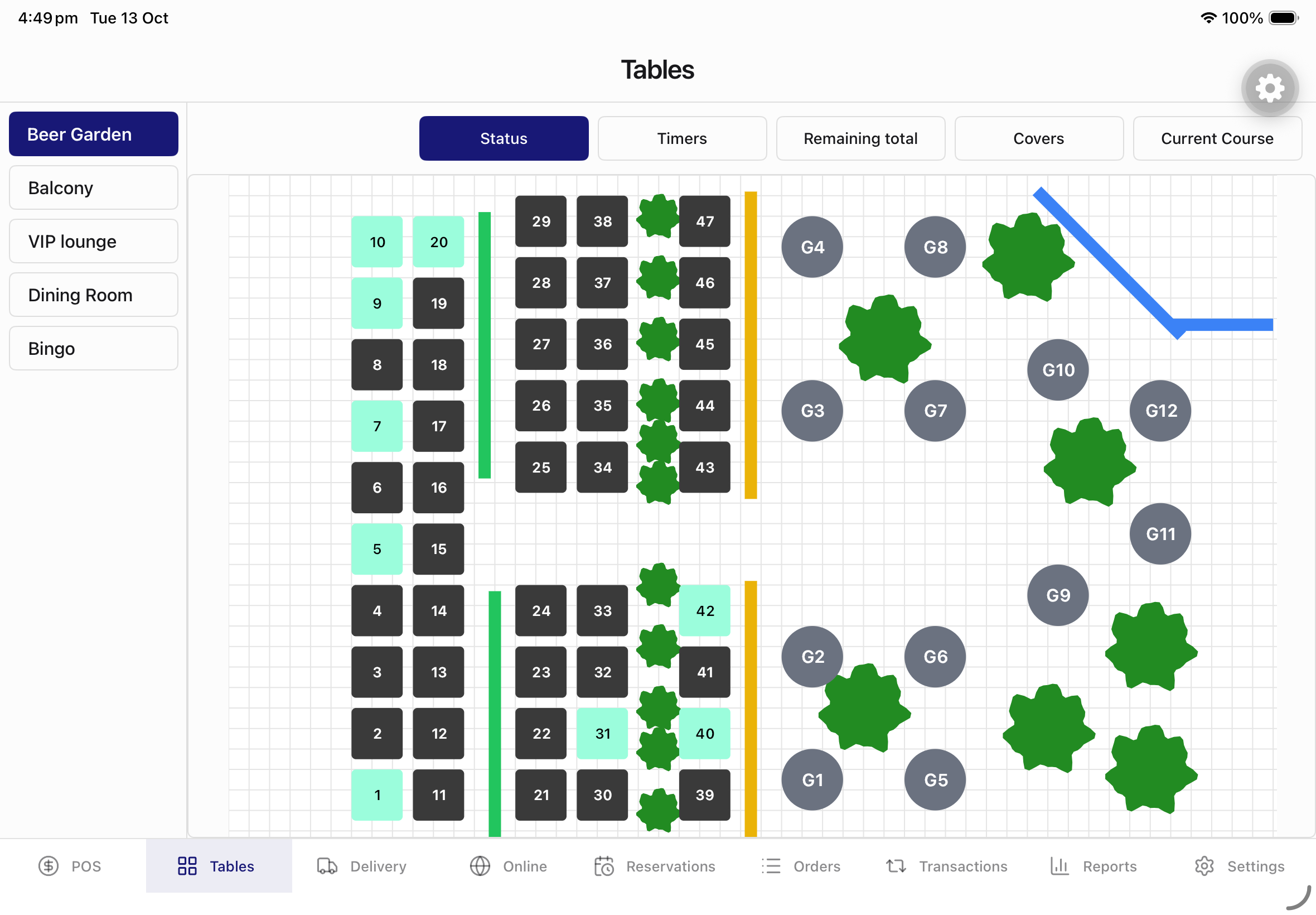
Floor plans
Draw your tables, bar and walls, with a plan for every room: dining, patio, functions.
Live table status
See which tables are open and how long they’ve been seated, with several orders on one table when you need them.
Covers and table timers
Open a table with its covers and watch its timer move from green to amber to red.
Courses and fire
Take the order by course, send dockets grouped by course, and fire the next one when the table is ready.
Move and merge
Move items or whole orders between tables, turn a takeaway into a table, or merge two orders, safely even if the connection drops.
A QR code for every table
Generate table QR codes straight from the floor plan, ready for ordering from the table.
Kitchen
The right docket at the right printer.
Route every product to the section that makes it, on dockets that read cleanly at a glance.
The printing matrix
Send each category or product to the section that makes it, with a second route for when a printer is down.
Dockets that read cleanly
Every docket, bill and tax invoice is drawn as one crisp image: your logo, clear type and QR codes, the same on every printer.
Kitchen names
Short names on dockets, like LG FLAT WHT, so the pass reads at a glance.
Prints that don’t go missing
Every print is logged against its order, so a lost job comes back to staff to review instead of vanishing or printing twice.
Auto-print and cash drawer
Print the receipt and open the drawer on every sale, set register by register.
Stock
Stock in the units you actually buy.
Millilitres, grams, bottles and cases, deducted by recipe as you sell and counted when you stocktake.
Measured the way you buy
Track spirits, kegs, milk and beans in millilitres, grams or each, with named units like Bottle and Case.
Recipes that deduct
A cocktail takes 60 mL of gin and 30 mL of vermouth. Stock comes off as you sell and goes back on a refund.
Singles, six-packs and slabs
One pool of stock whether a beer sells on its own, by the six-pack or by the slab.
Stocktakes with variance
Count, compare and see the variance, with deliveries, wastage and every movement kept on record.
Low-stock warnings
Set a threshold and the till flags items that are running low or out as staff sell them.
Stock reports by email
Inventory reports as PDFs, sent to whoever needs them.
Customers
Know your regulars.
One customer record across every store, with their usual order and their loyalty balance on the till.
Customer profiles
One record for each customer across all your stores, with their visits and your notes.
Their usual, one tap away
Attach a customer and the orders they come back for appear on the sale screen.
Points or stamps
Run a points or stamp program on the till itself. Earn per dollar or per item, and reward with money off or a free product.
Gift cards and accounts
Gift cards, tabs and member accounts.
Money held for your customers, tracked movement by movement and reconciled to your books.
Gift cards
Sell them at the till, email them to the recipient and redeem them at any of your stores. They never expire.
House accounts
Let regulars and members run an account with a limit and terms, repay it at the till, and receive emailed statements.
MiClub member accounts
Scan or search a member, charge their MiClub account and take top-ups at the bar.
Quotes
Quote the function from the till.
Catering and function quotes with revisions, a PDF and a link your customer can open.
Function and catering quotes
Numbered quotes with revisions, a PDF, an expiry date and a link your customer can open, emailed from the till.
Reporting
Answers, not exports.
The reports you check every day are built in. For everything else, ask.
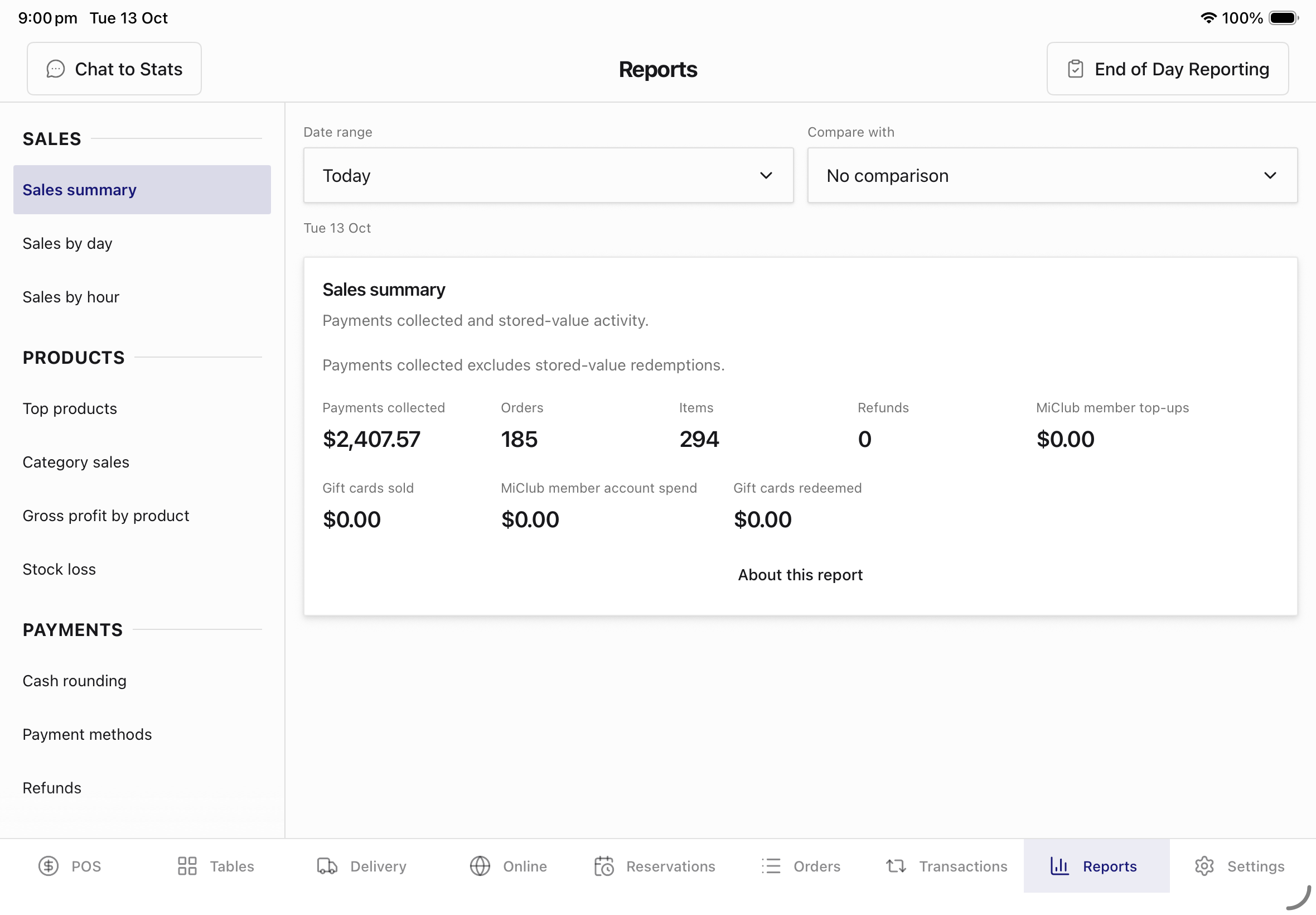
Reports, built in
Sales by day and by hour, top products, categories, payment methods, refunds and GST, compared with the previous period.
Chat to Stats
Ask “what sold best last Saturday?” in plain English and get the answer with a chart.
The right trading day
Sales after midnight count to the night you traded, with a cutoff set for each store, in every Australian time zone.
GST and Xero
GST that stands up. Books that reconcile.
Australian tax rules applied on every line, and a settlement in Xero every morning.
Same bottle, different GST.
Bottled water is GST-free to take away but taxable when it’s consumed on the premises. Whoods decides line by line from how the order is served.
Tax invoice
Takeaway
- Still water 600 mL(GST-free)$5.00
Total$5.00
GST included$0.00
Cash rounding that leaves the tax alone.
Cash is rounded to the nearest 5 cents after GST is worked out, so the invoice shows GST on what the customer actually bought, and the rounding is recorded separately on the payment.
Tax invoice
Takeaway · Paid in cash
- Toasted sandwich$10.02
Total$10.02
Cash rounding−$0.02
Paid in cash$10.00
GST included$0.91
GST that stands up
Dine-in and takeaway treated correctly on every line, GST rounded once per order, and a tax invoice or a receipt depending on your registration.
Xero, reconciled nightly
A settlement invoice for each store every night, with sales by account, payments to clearing accounts and gift card balances held as liabilities.
Staff
The right people, the right permissions.
Decide who can refund, void or discount, and let a manager approve on the spot.
Roles and permissions
Around 30 permissions, from refunds and voids to price overrides, and a manager can approve on the spot.
Quick staff sign-in
Staff sign in to the register with a PIN, or skip sign-in entirely for a one-person counter.
Time clock
Clock in, clock out and record breaks at the register.
Cash drawer shifts
Opening and closing counts, money in and out, no-sale opens and the variance at close.
Back office
One business, many stores.
Run every venue under one account, and manage it from the tablet or any browser.
Built for groups
Several businesses and stores under one account, each with its own ABN, GST registration and registers.
A back office in your browser
Manage stores, products, menus, staff, roles and printers from any computer.
iPad, Android or phone
Runs on iPad and Android tablets, and the sale screen, history and reports adapt to a phone.
Reliability
When the internet drops, you keep trading.
Built on the assumption that something will fail on a Saturday night, and that it must not cost you a sale.
Keeps trading offline
Sales are saved on the tablet first and sync when the connection comes back.
4G backup
When the venue’s internet drops, a 4G connection keeps you online.
A record you can audit
Every order keeps an add-only history of changes, payments and prints. Totals are calculated from it, never typed over.
Coming soon
What we’re building next.
In development now. Ask us about any of them when we talk.
Suppliers and purchase orders
Order from suppliers and receive deliveries against the order.
Apple Pay and Google Pay online
One-tap payment for QR and pickup orders.
Scheduled pickup
Let customers order today for a time later in the week.
Booking reminders and waitlist
Text reminders before a booking, and a waitlist when you’re full.
Tap-to-earn loyalty
Customers earn points just by paying with their card. No app, no sign-up at the counter.
Let’s talk about your venue.
Tell us how you run service today and we’ll show you what changes. No obligation, no lock-in contracts.
Book a demo